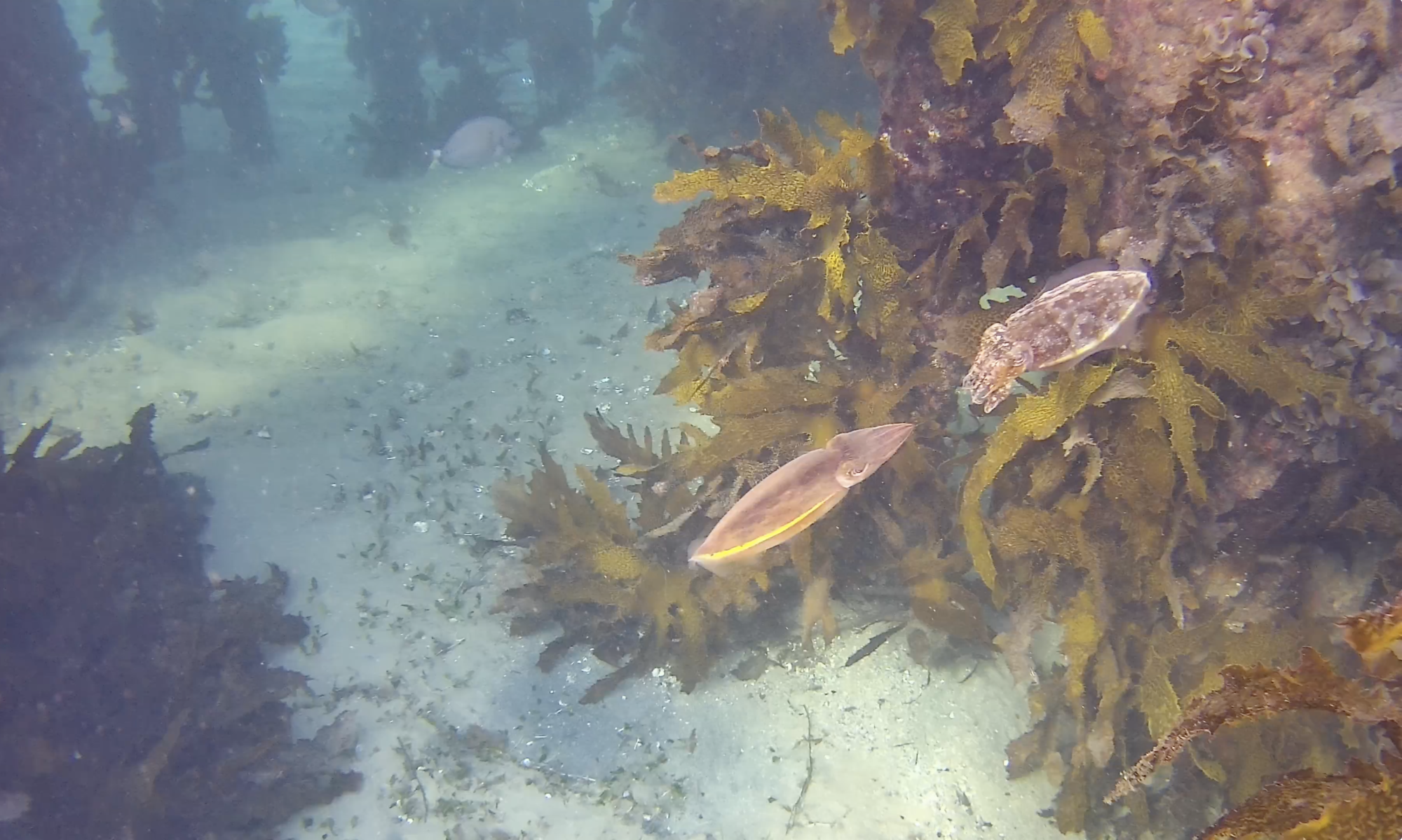

This week, we have really enjoyed showing off the standard BlueROV2’s 4D0F movement live into webinars.
Fifish V6 Thruster Guards
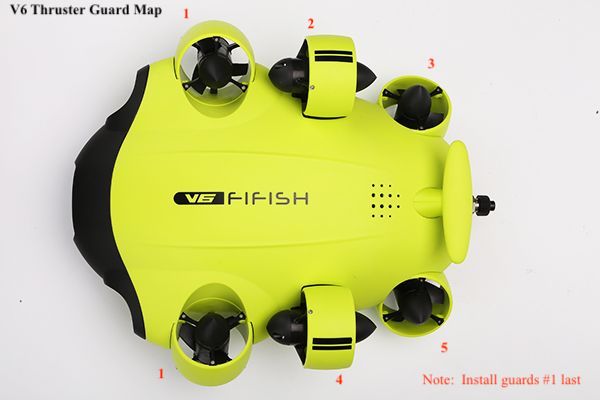
We recommend getting thruster guards to extend the working life of these motors when using the V6 in areas with a lot of weed, debris or fishing line. Installation is quite easy and only requires a small screwdriver.
Tips:
- Each guard is stamped with a number matching the placement guide above (in red)
- Install #1 guards last
- Screw heads will face either up or forward relative to the V6 body
Shipping your ROV
For those travelling with their BlueROV2, Blue Robotics strongly suggests you remove enclosure vent plugs during shipment by air or road, to allow the enclosures to change internal pressure and reduce stress on the penetrators. Just remember where you packed them for re-installation when you arrive.
Also remember to take extra desiccant (silica gel) bags to put into the electronics enclosure at your destination, to prevent dome fogging during the dive.
Finally, about flying with ROV batteries: it is our understanding that you can fly with one Blue Robotics 18Ahr battery packed in the ROV (obviously, not connected) but you cannot take any 18Ahr spares in the cabin (they ship as hazardous goods cargo only). Up to two HobbyKing 8Ahr or 10Ahr batteries can be taken as spares in carry-on luggage, only with prior approval of your airline. Each carrier has their own rules about lithium batteries, so call before you arrive at the airport.
The Fifish V6 can ship as is, as long as the ROV tether plug is in place to prevent electrical shorting. The V6 has a 97.2 Watt-hour battery capacity that is under the 100Watt hour limit for passenger plane carry-ons. It is always wise to take a copy of the technical specifications with you, in case you are asked about the equipment.
To calculate the capacity of your batteries: Power capacity = Voltage * Current * Time e.g. Blue Robotics: 266.4 Watt-hour = 14.8 Volts * 18 Amp-hour
Cleaning tool for small ROVs
Norwegian company Lateral showcased their new FlexiClean Micro at this week’s Subsea Expo in Aberdeen, Scotland. The device is designed for deployment on smaller, observation class ROVs to perform marine growth cleaning with polyurethane fingers, a nice complement to their other FlexiClean devices.
Full article at: Scottish Business News 13feb20
BlueROV2 Button Mapping
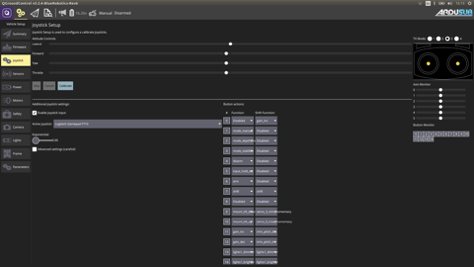
The default button setup for the BlueROV2 is below, and can be changed to suit your function preference:
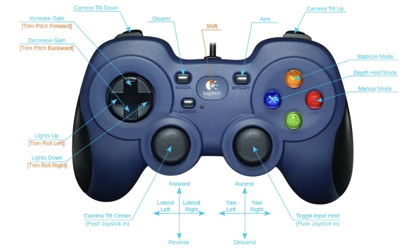
To reconfigure the button functions, with your BlueROV2 powered-up and connected to your topside computer, go to the Joystick tab on the Vehicle Settings page and change via the drop-down menus
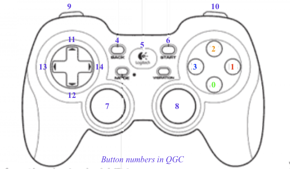
The button numbers 1 to 14 correspond to the following physical buttons: